LinearB
Building Excel add-ins without coding
Our new product LinearB (available early next year) takes a new approach
to constructing Excel C++ add-ins: it inspects the functions in your existing
code libraries and automatically generates Excel add-in functions around them.
If you've got working C++ code, you can have an Excel add-in in minutes. You
don't need to learn anything about programming for Excel; just point LinearB at
your code and let it run.
Developers who frequently enlarge their libraries to match fast-changing
business requirements can benefit greatly from LinearB, because it completely
removes the need for an entire stage of development. When you add new
functionality to your code libraries, or modify existing functions, you can
count on LinearB to pass all the relevant changes on to the Excel add-ins that
it produces.
The LinearB User Interface
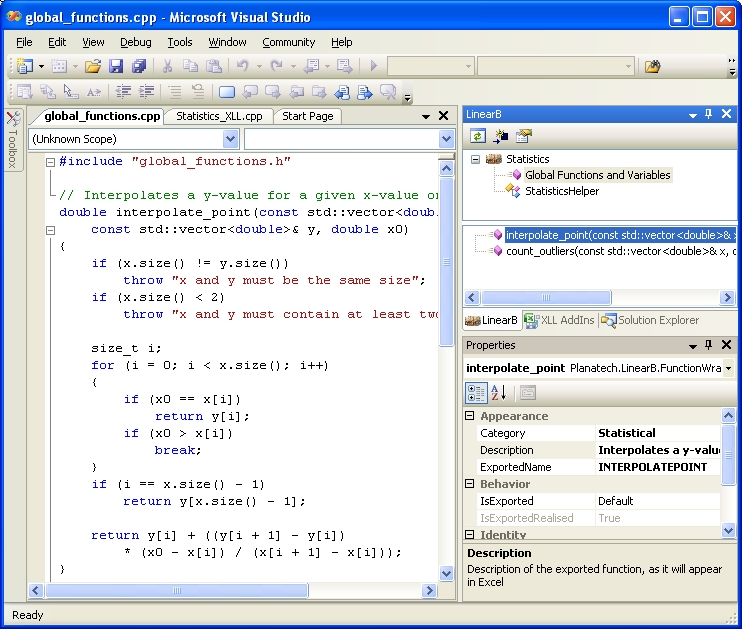
LinearB is a Visual Studio package which adds a new explorer window to Visual
Studio. This window contains a list of all the C++ functions, fields and
methods within your project that are available for export as Excel add-in
functions.
Code generation
LinearB reads your source code and extracts as much information as possible
about each of the functions, methods and fields contained in it. This includes
the signature of the function, and any available comment, which will be used as
the function's description in the Excel Formula Wizard.
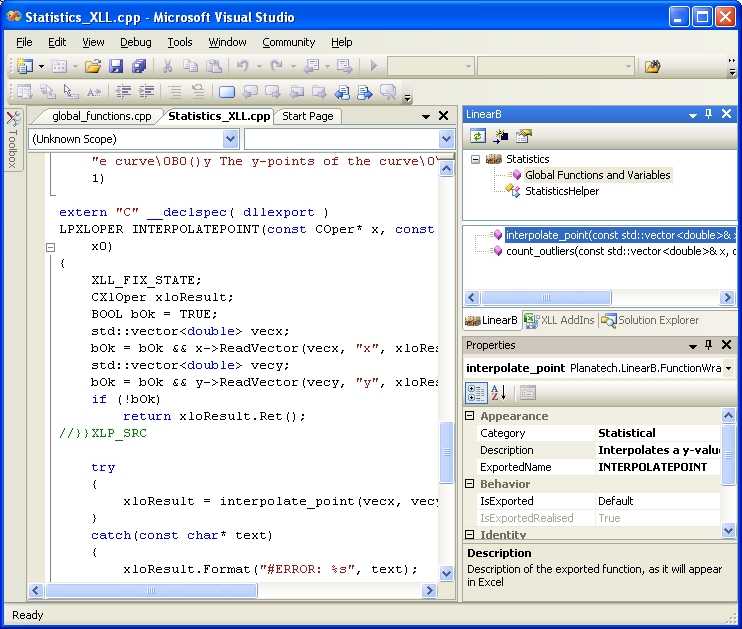
When you build your project, LinearB processes all the information that it has
gathered, and generates an Excel add-in wrapper function. This function takes
care of all the tasks necessary to manage a call to your function from Excel:
-
Registering the add-in function with Excel.
-
Translating each input passed by Excel into the type expected (for example,
transforming a range of cells into a an object of type
std::vector<double>).
-
Returning an error if an input was not correctly formed, or was otherwise
invalid.
-
Calling your function with the transformed input values.
-
Catching any exceptions that may have occured during your function, and
returning an appropriate value to Excel.
-
Returning the output(s) of your function to Excel.
Excel Add-ins
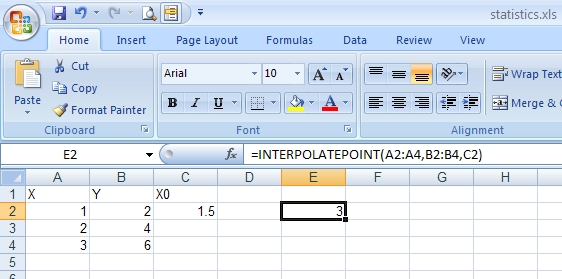
When the project is built, an XLL add-in file is produced, which delivers your
function to Excel, as a high-performance add-in, written entirely in C++, and
fully integrated into Excel.
The add-in function will take full advantage of the new features of Excel 2007,
including huge arrays, multi-threaded calculation and unicode strings. It will
also work perfectly with older versions of Excel, since two versions of each
add-in function are generated, one for Excel 2007, and one for older versions.
The add-in function will contain all the features that you need in a critical
environment:
-
Useful error messages when an input is unacceptable.
-
Safe and informative handling of C++ exceptions (and also of C runtime
exceptions).
-
The results of the call can be saved in a cache if the performance criteria
justify it.
-
The function can be prevented from being called from the Excel Formula Wizard
(which can be very inconvenient if the function performs slowly).
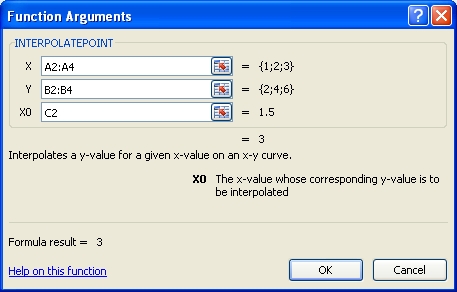
Everything that LinearB was able to find out about the function, along with any
information that the developer provided through the LinearB User Interface, is
available to the user of the function in Excel.
Requirements
For information about what LinearB runs on and with, please see
LinearB requirements.
Availability
LinearB will be available in the 3rd Quarter of 2008, with a target date of
August 1st.
See also
You can find some more LinearB screenshots here.
You can find some technical data about LinearB here.
All trademarks are the properties of their respective owners
|